Views: 0 Author: Site Editor Publish Time: 2026-11-16 Origin: Site
Yes. From 2026 to 2031, AI in embroidery production is most likely to shorten artwork preparation, help teams reuse proven setup decisions, and flag quality problems earlier. The biggest gains will depend on the work a shop repeats and the data it can collect. A business that runs the same logo on thousands of garments has a different opportunity from one that digitizes new artwork every day.
The first step is to identify where production time goes today. If most delays come from editing new designs, test digitizing assistance. If they come from hooping, loading, or waiting for an operator, look at the physical workflow before investing in software.
Table of Contents
Computerized embroidery machines already follow programmed stitch sequences, and some models automate functions such as thread trimming. Software can also convert supported artwork into an initial stitch design. These capabilities can improve production even when they use fixed rules or programmed instructions.
AI may help where the system needs to interpret artwork, recommend settings from prior jobs, or identify patterns in inspection images. Features vary by supplier. Ask what information the system uses, what it changes, and whether an operator can review or override the result.
Automatic digitizing can turn clean artwork into a first draft. That is useful for repeatable designs with clear shapes. Small lettering, narrow gaps, and overlaps still need review. A draft can look good on screen and produce crowded stitches, exposed fabric, or uneven edges after sewing.
For a uniform logo, check stitch order, density, underlay, and pull compensation on the intended garment. If the same logo will also run on caps, test a separate sample with the actual cap frame and material. Save the approved versions with clear file names so the correct one reaches the operator.
A useful near-term application is finding and adapting an approved design. If a customer reorders a logo at a different size, an assistant could locate the previous file and flag lettering or stitch areas that may need adjustment. The digitizer can then focus on the changes that affect the sew-out.
Measure the time from artwork receipt to the first approved sew-out. A tool that generates a file in seconds may still add work if the team spends longer fixing it. Count editing and retesting time alongside the time it takes to create the draft.
A system could recommend a starting setup from similar approved jobs. Useful records include fabric, thread, needle, backing, hoop type, design revision, and the settings used for the accepted sample. With that history, a new operator can see what worked on comparable material and which details differed.
Begin with operator-approved recommendations. A setup that worked on a stable woven garment may behave differently on a stretch knit. Keep the final setting and sew-out result in the job record so future recommendations can draw on what happened in production.
Camera-assisted inspection could help flag visible problems such as missing stitch areas, broken outlines, or placement errors. It is easier to evaluate on repeat jobs with stable lighting, a fixed camera position, and an approved reference sample. Changes in fabric texture, thread sheen, or garment position can produce false alerts.
Test inspection software with both accepted and rejected samples. Record which defects it catches, which it misses, and how often it flags an acceptable piece. A system that generates frequent false alerts can slow a line even when it detects the target defect.
Production area | Practical starting point | What to measure |
|---|---|---|
Digitizing | Review a machine-generated draft against the approved artwork | Time to first approved sew-out and number of revisions |
Job setup | Reuse settings from a comparable approved job | Setup time and first-piece acceptance |
Quality inspection | Compare images of repeat designs with a reference sample | Missed defects, false alerts, and inspection time |
Scheduling | Use actual run and handling times to estimate completion | Forecast accuracy and on-time job completion |
A personalization shop may spend more time finding artwork, preparing files, changing thread colors, and hooping garments than sewing each order. Track those steps separately. If file preparation dominates, digitizing assistance or a searchable job library may help. If loading dominates, check whether the frame, work area, or job sequence creates extra handling.
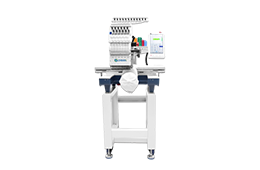
When evaluating equipment, compare the jobs you run most often by garment type, design size, and batch size. DISEN’s single-head embroidery machine range is a starting point for reviewing equipment options. Confirm the controller, file workflow, and frame options on the model you are considering.
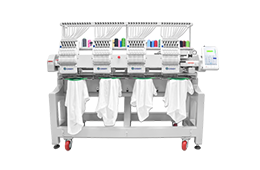
A multi-head shop may gain more by reducing interruptions than by preparing designs faster. Track thread breaks, operator interventions, defects by head, and accepted output per shift. If one head repeatedly produces loose stitches while the others sew the same file correctly, check that head’s threading, needle, tension, and setup before changing the design for every head.
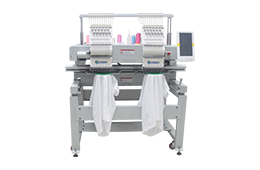
When reviewing DISEN’s multi-head embroidery machines, ask how operators load jobs and handle interruptions on the proposed configuration. If a separate software tool is part of the plan, confirm how files and job records will move between systems. Test that workflow on a sample order before relying on it for production.
Choose one repeat logo, one job with a difficult material or placement, and one design your team has never sewn. Record current preparation time, first-piece approval, interruptions, and accepted output. Run the same or comparable jobs with the new workflow and keep the fabric, thread, backing, and acceptance criteria consistent where practical.
For example, a shop that prepares 20 jobs per week and saves eight minutes of net preparation time per job recovers 160 minutes, or two hours and 40 minutes, per week. That is an illustrative calculation. Include correction and review time in the eight-minute estimate before using it to assess the investment.
Ask whether the proposed workflow supports your machine’s file formats and controller. Check whether operators can reject a recommendation, return to an approved file, and keep working if the service is unavailable. If the software uploads customer logos, review access, retention, and deletion terms before using it with customer artwork.
Include subscriptions, integration, training, and recurring review time in the cost comparison. Expand the pilot if it produces a repeatable improvement in first-piece approval, accepted output, or time spent preparing jobs. Keep the approved sew-out as the reference for production quality.
AI and automatic tools are likely to reduce some draft preparation and revision work. Digitizers will still be needed to judge how designs sew on different materials and to approve decisions about stitch order, density, underlay, and fine detail.
Clean artwork can be a good candidate for automatic conversion. Small lettering, gradients, and overlapping details often need adjustment. Review the file and sew a sample at the finished size on the intended material before running the order.
Some tools work upstream and export a file that an existing controller can read. Features that change machine settings or collect live data depend on the machine, controller, and available interfaces. Verify compatibility with the exact model.
An inspection system may flag visible defects if it has consistent images and good reference samples. Test it on the defects your shop actually encounters, and measure missed defects and false alerts before using it for production decisions.
Choose the metric that matches the bottleneck. Use time to first approved sew-out for design preparation, setup time for repeat orders, or accepted pieces per shift for production interruptions. Include any extra review and correction work.
Discuss your embroidery production requirements with DISEN. Share your typical designs, garment types, order sizes, current machine and controller, and the step that causes the most delay. If you are evaluating separate digitizing or inspection software, include its name and the file or data interfaces it requires.