Views: 0 Author: Site Editor Publish Time: 2026-11-16 Origin: Site
Smart textile equipment helps factories run jobs more consistently, see where production slows down, and make better use of existing machines. In garment decoration, that can mean linking the right design file to an order, coordinating a printer with downstream equipment, or recording which embroidery heads lose the most production time. The right investment depends on whether your main constraint is setup, machine capacity, quality, or the handoff between operations.
Start with a problem you can measure. If a printing cell produces film faster than operators can transfer it to garments, a faster printer may increase work in progress. If an embroidery shop spends too long retrieving designs and preparing repeat jobs, a better job setup process may free capacity before another machine is needed.
Table of Contents
A computerized embroidery machine follows the stitch instructions in a design file. A direct-to-film printing setup can pair a printer with equipment for applying and curing adhesive powder. Both can reduce repetitive work. The buying question is how much work the proposed setup removes from the complete process, including loading, unloading, inspection, and rework.
A connected workflow gives operators access to the current design, production instructions, and job status. For example, an order record can identify the approved artwork revision, garment type, decoration method, and quantity. The same job ID can follow the order through printing or embroidery and final inspection, making it easier to investigate why a batch was delayed or rejected.
A monitoring system can help a supervisor identify repeated interruptions. An inspection system can flag a visible difference from an approved sample. These tools are most useful when the team has a clear response to each alert. Ask a supplier to demonstrate what the system captures, how it presents the result, and what an operator can do with it.
Direct-to-film, or DTF, printing involves printing onto film, applying and curing adhesive powder, then transferring the design to a garment with a heat press. Compare the printer, powder handling, curing, and transfer steps together. Each can limit how many finished garments the cell delivers.
DISEN’s DS-MC760DW DTF printer with powder shaking is one equipment configuration to evaluate. Ask the supplier to run representative artwork and garments with the proposed film, ink, powder, and transfer settings. Check output on the finished garment, including edge definition and adhesion, against your acceptance criteria.
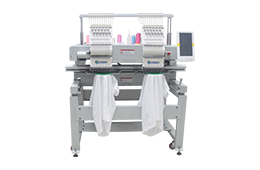
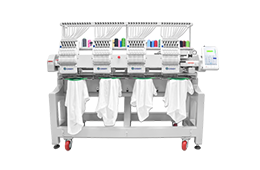
A multi-head machine can sew several items in parallel. Actual output depends on how many heads are active, how long operators take to hoop and load the next batch, and how often a head needs attention. A machine can sew quickly while the cell loses time to thread breaks, repeated setup, or uneven output across heads.
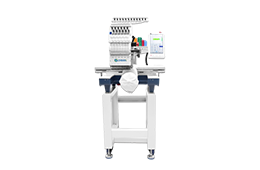
For a trial, use both a repeat design and a harder job with small lettering, dense stitching, or a different garment shape. Record active heads, interventions, and accepted pieces over the same time window. Review DISEN’s multi-head embroidery machine range to identify candidate models, then confirm the controller, frames, and job-loading workflow for the quoted configuration.
For repeat orders, an approved job record can include the artwork version, machine settings, material, operator instructions, and an image of the accepted result. For embroidery, add the stitch file, thread sequence, frame, and backing. For DTF, record the print profile and the approved curing and transfer settings. This gives the next shift a starting point it can reproduce.
Ask how the quoted machine receives jobs and whether it can export any production data. Have the supplier demonstrate a real file transfer or export using the proposed controller. Confirm whether the data can be linked to your order number and whether access requires a separate license or cloud service.
Time setup, production, handoffs, and inspection separately. Define an accepted piece before the trial, and count output at the final inspection point. If the proposed cell only prints the film, measure how many usable transfers it produces and then verify how quickly your team can apply them. For embroidery, record loading time and rejected pieces alongside sewing time.
Production constraint | Equipment or workflow to evaluate | Trial measure |
|---|---|---|
Frequent short runs | Easier job loading and reusable setup records | Minutes from order release to first accepted piece |
Printing outpaces garment transfer | Better balance between printing, powder curing, and heat pressing | Accepted garments per elapsed hour |
Repeat embroidery stops frequently | Multi-head workflow with clear records of operator interventions | Accepted pieces per shift and interruptions by head |
Quality varies between batches | Defined process settings and reference samples | First-pass acceptance and rework by defect type |
Production status is hard to track | Controller export or a shared job-tracking process | Jobs correctly matched to output and downtime records |
Suppose a DTF printer can produce 120 usable transfers per hour, while the staffed heat press station can apply only 80 in the same period. The cell can finish at most 80 garments per hour before downstream rejects, assuming one transfer per garment. Increasing print speed alone would build a queue of transfers. This example shows why the trial should follow the product through the bottleneck.
Compare the cost per accepted piece using the same artwork, material, and operating assumptions. For DTF, include film, ink, powder, test prints, and failed transfers. For embroidery, include thread, backing, needles, operator time, and rework. In both cases, account for routine maintenance, software fees where applicable, and expected downtime for cleaning or changeovers.
Ask the supplier to identify which work remains manual and who will support the controller, software, and process settings after installation. An equipment package with a higher purchase price may be easier to justify if the trial shows it reduces recurring work at the bottleneck.
Product mix: Garment types, decoration areas, artwork or stitch files, and difficult examples.
Production volume: Typical and peak order sizes, weekly demand, and changeover frequency.
Current workflow: Existing machines, controllers, staffing, and the step where work queues build up.
Quality criteria: Placement, appearance, adhesion or durability where relevant, and acceptable defect levels.
Data needs: File formats, job identifiers, required exports, and any system the new equipment must work with.
Ask the supplier to demonstrate the quoted machine, controller, and accessories on representative work. Include a new job, a repeat order, and a changeover. Record first-piece approval time, final accepted output, defects, and operator interventions. If data export is part of the purchase, require a sample file your team can open and match to a production job.
Upgrade one cell or process first if the factory needs to prove a new workflow. Document what improved and what remained constrained before extending it to other lines. This gives production and procurement a shared basis for deciding which equipment should come next.
The term can describe automated machine functions, connected job records, production monitoring, or tools that support decisions. Ask the supplier to demonstrate the specific capability you need and explain what information it uses and what the operator can control.
Yes, if the improvement is in job preparation, file control, setup instructions, or manual production tracking. For direct integration, check the existing controller’s interfaces, supported file formats, and export options before committing to software or hardware.
Start with the finish your customers need. DTF applies a printed transfer, while embroidery creates a stitched decoration. Evaluate the product mix, material, order sizes, quality requirements, and total workflow before comparing equipment capacity.
Many improvements start with repeatable settings, accurate job identification, and reliable production records. Evaluate AI when you can define a specific task, such as flagging visible defects or suggesting setup parameters, and test its performance on representative work.
Choose a metric that reflects the constraint. Use time to the first accepted piece for frequent short runs, accepted garments per elapsed hour for a production cell, or first-pass acceptance for a quality problem. Measure it through the relevant handoffs.
Planning to upgrade a printing or embroidery cell? Discuss your textile equipment requirements with DISEN. Share your garment types, typical order quantities, sample designs, current equipment, and the step that limits output. If you need job tracking or data export, include the file formats and records your team uses today.